How do I cancel my subscription?

  1. From your account page, look for the heading “Your subscriptions” and then click the link to access the Stripe Customer Portal
  2. Enter your email address (the same one you use to log into this website) and receive a secure link to login to Stripe
  3. On the page that appears, look for the button that says “Cancel subscription”:
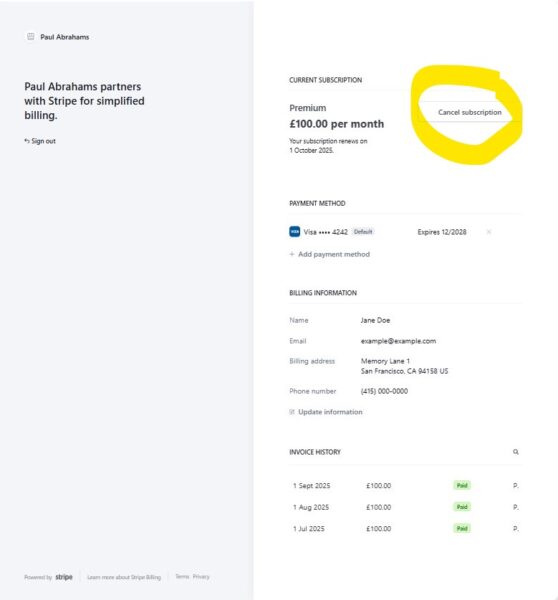
    A screenshot of the stripe customer portal, highlighting the Cancel Subscription button that appears in the top right of the page
    No further payments will be taken and access to the course will end at the end of your current billing period.
Learn Jazz Piano Online
Privacy Overview

This website uses cookies so that we can provide you with the best user experience possible. Cookie information is stored in your browser and performs functions such as recognising you when you return to our website and helping our team to understand which sections of the website you find most interesting and useful.