How do I cancel my subscription?
- From your account page, look for the heading “Your subscriptions” and then click the link to access the Stripe Customer Portal
- Enter your email address (the same one you use to log into this website) and receive a secure link to login to Stripe
- On the page that appears, look for the button that says “Cancel subscription”:
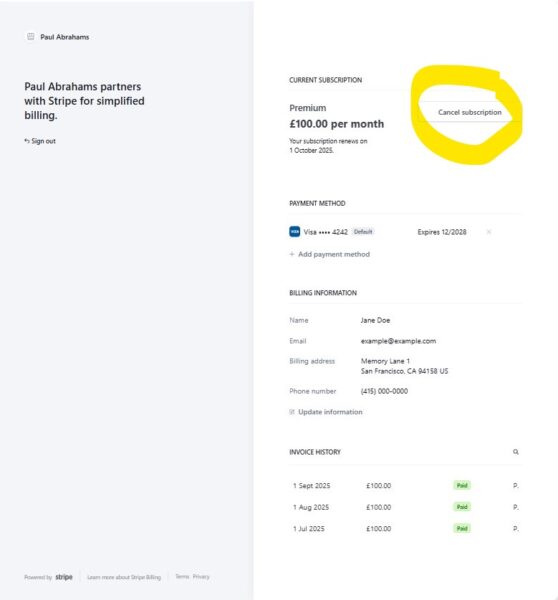
No further payments will be taken and access to the course will end at the end of your current billing period.